We help you get more value from your AFAS software through process optimization,
automation, and technical implementations that support your business goals,
including technical integrations and automated workflows tailored to your environment.
Expertise Verified
Holistic AFAS Integration Approach
Our AFAS development and integration work is delivered in cooperation with the LievERP community, providing access to specialists in HR, Finance, CRM, and other AFAS application areas. This ensures strong functional understanding of AFAS processes and configuration across different domains.
This is combined with deep technical software engineering expertise focused on APIs, data integration, and system architecture. The result is a setup where functional AFAS knowledge and technical implementation capability work together rather than in isolation.
We take responsibility for the more technical layers of AFAS environments that are often difficult to implement or maintain internally. This includes Power BI integration and setup, reporting configuration and advanced calculations, GetConnector implementations, and InSite and OutSite development.
In practice, this means translating AFAS requirements into working technical solutions, supporting or guiding development teams in API-based integrations, and ensuring that implementations are correct, stable, and maintainable.
This reduces friction between functional consultants and technical teams and ensures that AFAS integrations are delivered in a structured and scalable way.
hub Process Automation
We implement workflow automation inside AFAS, including approval processes. This reduces manual processing, minimizes errors, and ensures deterministic execution that is not dependent on manual actions or users remembering steps.
For more advanced scenarios, we build scheduled background processes that operate outside standard AFAS workflow execution. Deployment can be on customer infrastructure or external integration platforms such as Hubbi, depending on architectural requirements.
We also extend AFAS data models using custom fields (free fields) and use them in workflows, integrations, and reporting to support additional business logic without affecting core system configuration.
AutomateWorkflowsCustom Fields
Automate
We use Hubbi for Automation
api AFAS API's
We use AFAS REST APIs to implement structured data exchange between AFAS and external systems, including authentication, mapping, and synchronization logic.
Connect AFAS & Integrate your systems
We integrate AFAS with external systems using AFAS APIs, GetConnectors, and custom integration logic. This covers both inbound and outbound data flows depending on the system architecture.
We implement data transformation, mapping, and validation layers to ensure consistent and controlled data exchange between AFAS and connected systems such as CRM platforms, portals, finance tools, and custom applications.
monitoring Power BI & Reporting
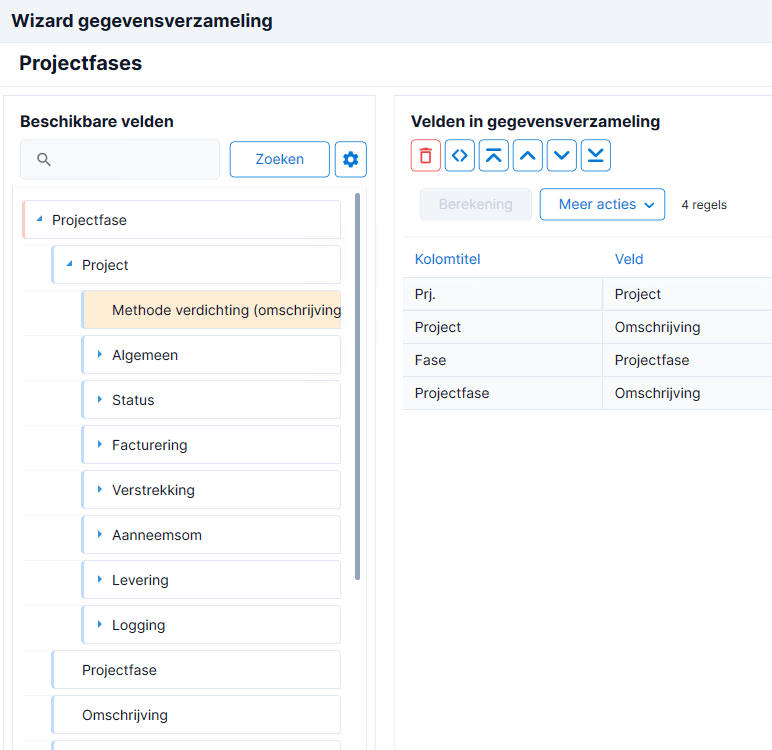
AFAS comes with very good built-in Power BI reports and data connections. We can help you set this up, automate data retrieval, and explain the different ways you can securely share reports with your team.
Did you know that most output formats in AFAS are set up as reports that you can customize? From printouts to emails, you can adjust layout, content, and messaging to match your organization.
We support both the classic and new report generator, helping you configure templates correctly so your invoices and printouts look and behave as expected.
Rapport Generator VB Script
Power BI
Powerful Power BI reports.
file_json
Technical AFAS Guidance
We support internal teams and developers with AFAS API implementation, integration design, and technical troubleshooting. This ensures correct and maintainable implementations.
InSite & OutSite Development
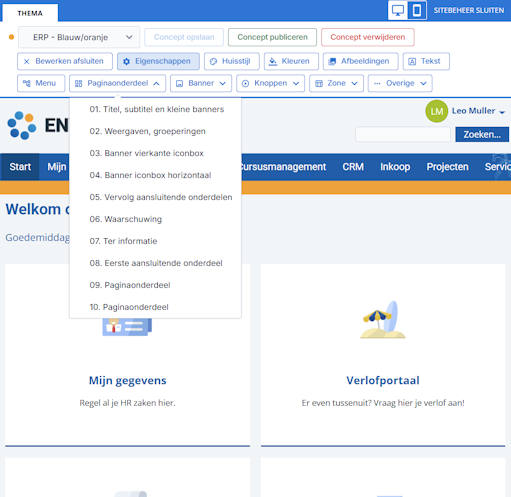
We build and extend AFAS InSite and OutSite environments tailored to you needs and design requirements, using custom logic, layout adjustments, and functional enhancements to improve usability and workflow integration.